
Create a third-party enterprise app, configure capabilities, security, and permissions, and submit it for review.
Prerequisites
- Complete organization access approval.
- Sign in with your enterprise identity and select the organization that owns the app.
- Identify the required APIs and business permissions. See the OpenAPI Overview.
1
Create an app
Go to “Third-party enterprise apps” in International Open Platform, create an app, and enter its name, description, and icon.
The name and description are required, with limits of 40 and 240 characters respectively. New apps use the “Open API” capability by default.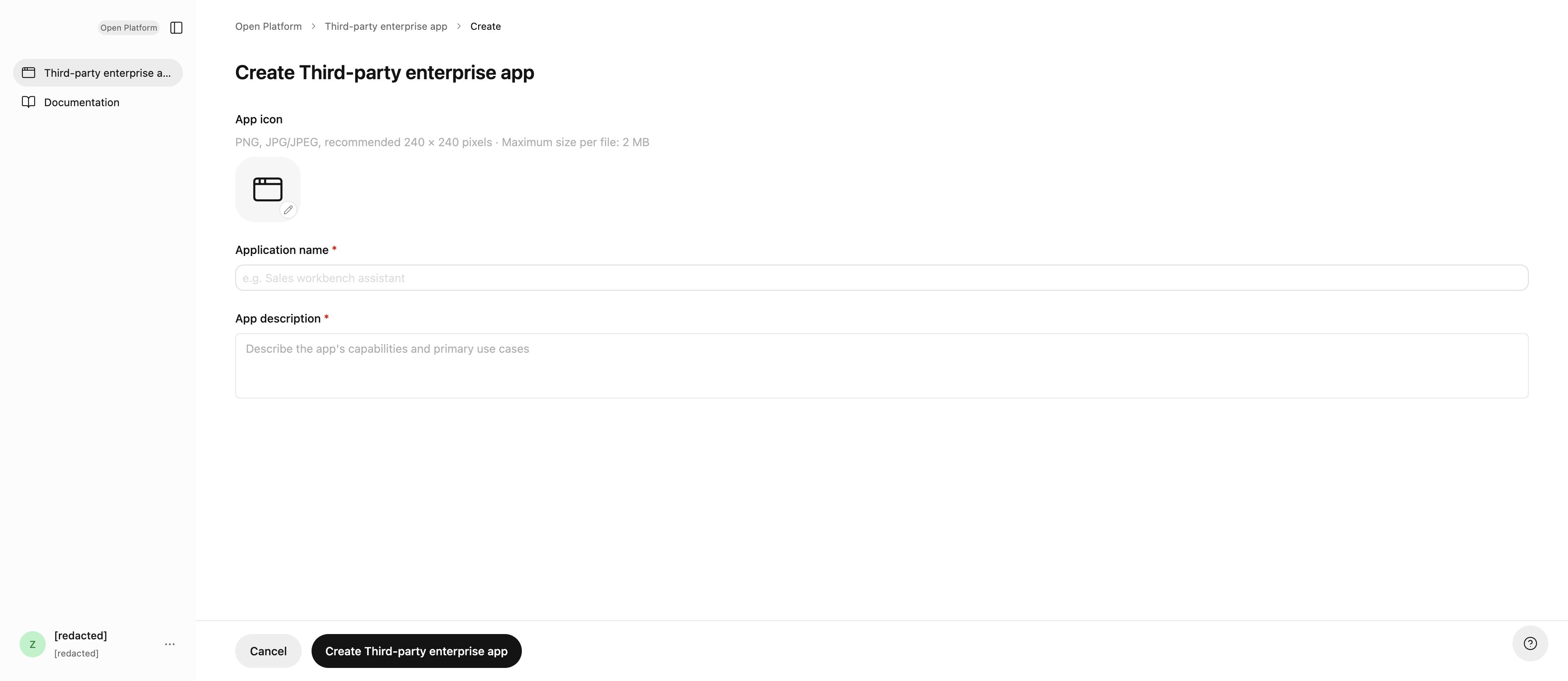
Enter the app information and create the app
2
Configure capabilities and security
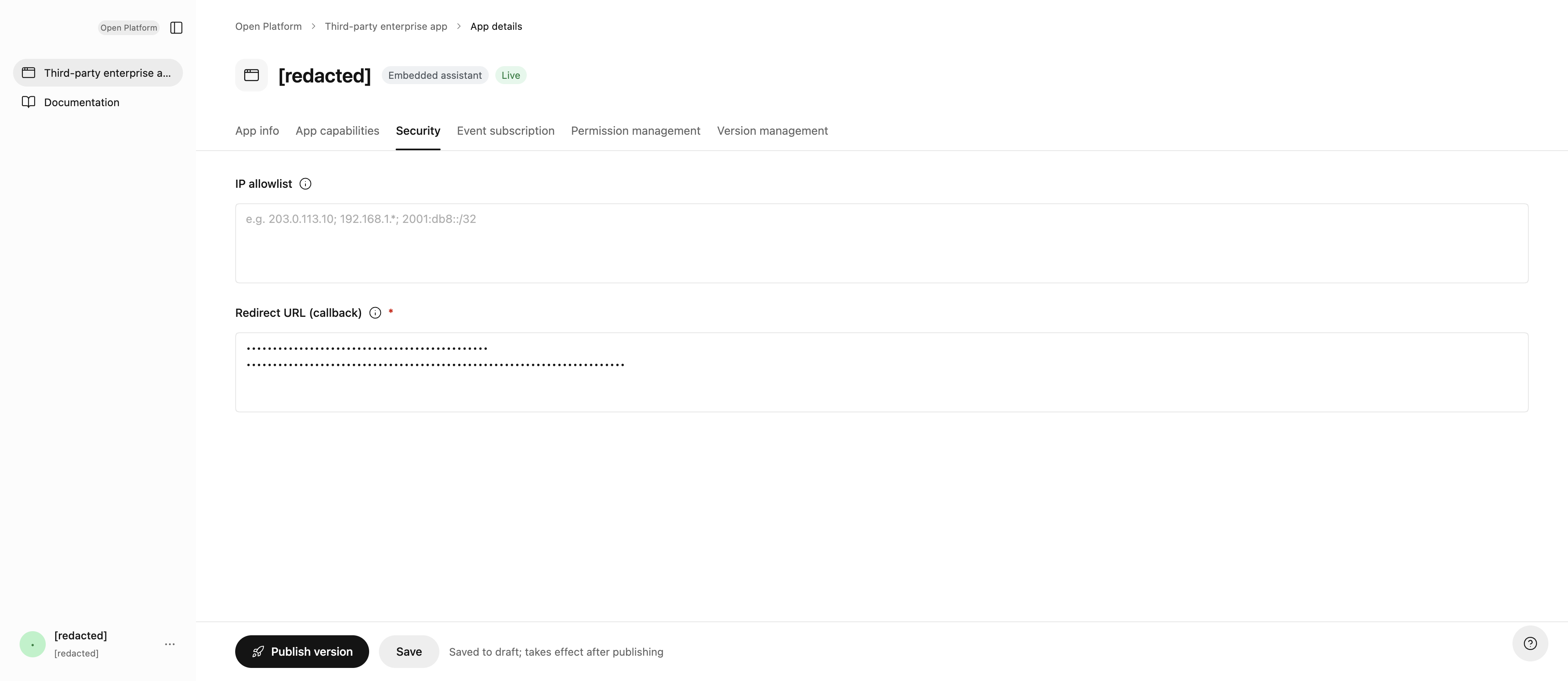
For browser-based OAuth authorization, select “Embedded assistant” under “App capabilities”, then enter the callback URL in “Security settings”.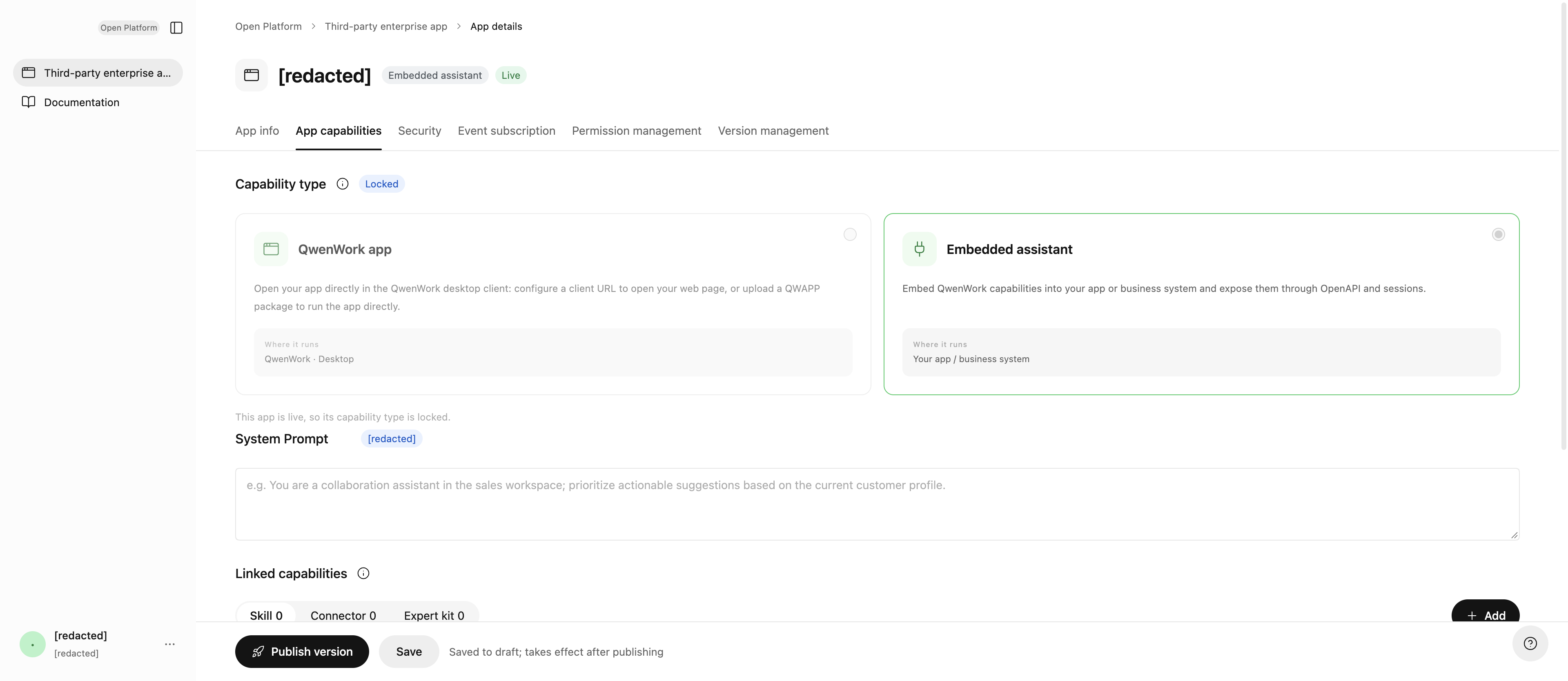 Enter the full callback URL. If you configure an IP allowlist, add your server’s outbound IP address. See OAuth Authorization for details.
Select the embedded assistant capability
Configure the callback URL and IP allowlist
3
Confirm business permissions
Contact the platform team to enable the required permissions, then check the scopes and authorization modes in “Permission management”. Enterprise management APIs use organization authorization.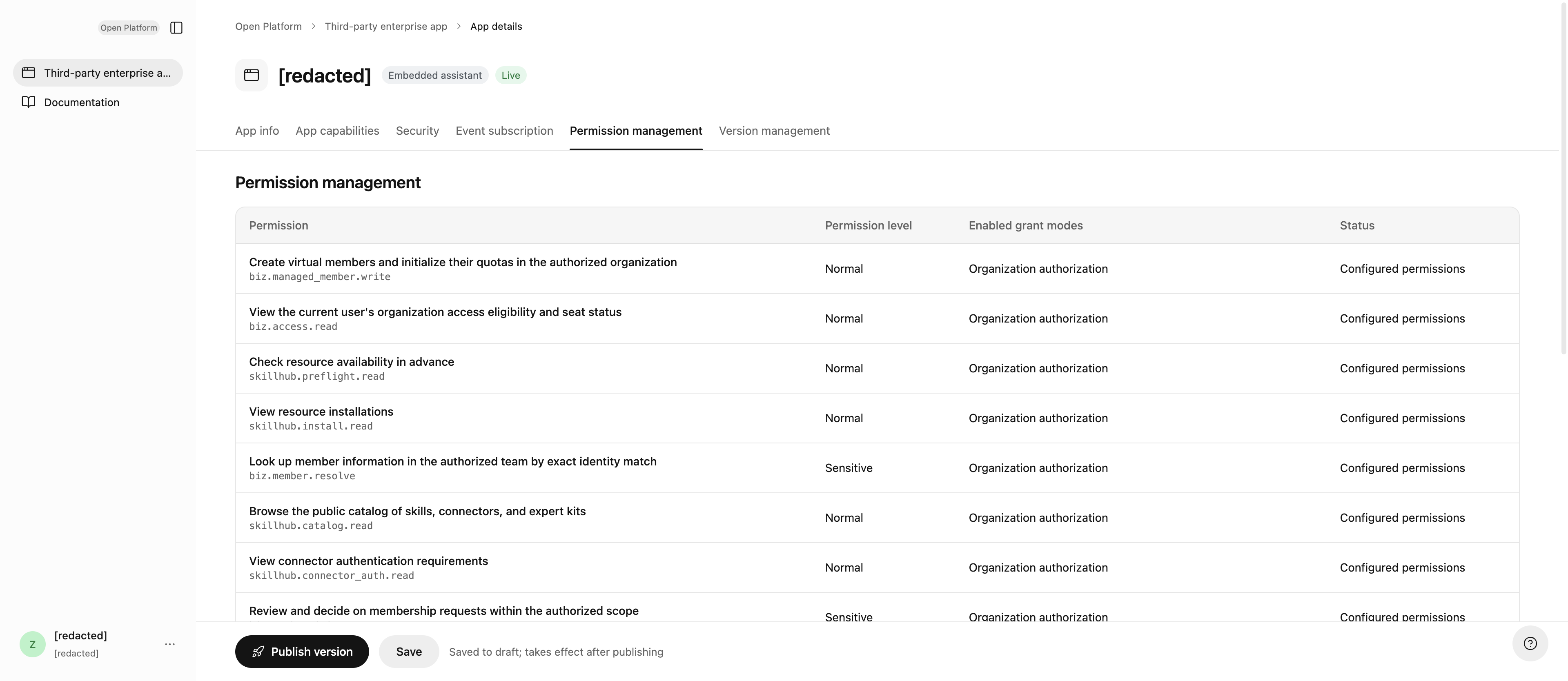
Check enabled permissions and authorization modes
4
Submit and wait for approval
Submit a version for review once configuration is complete. Use 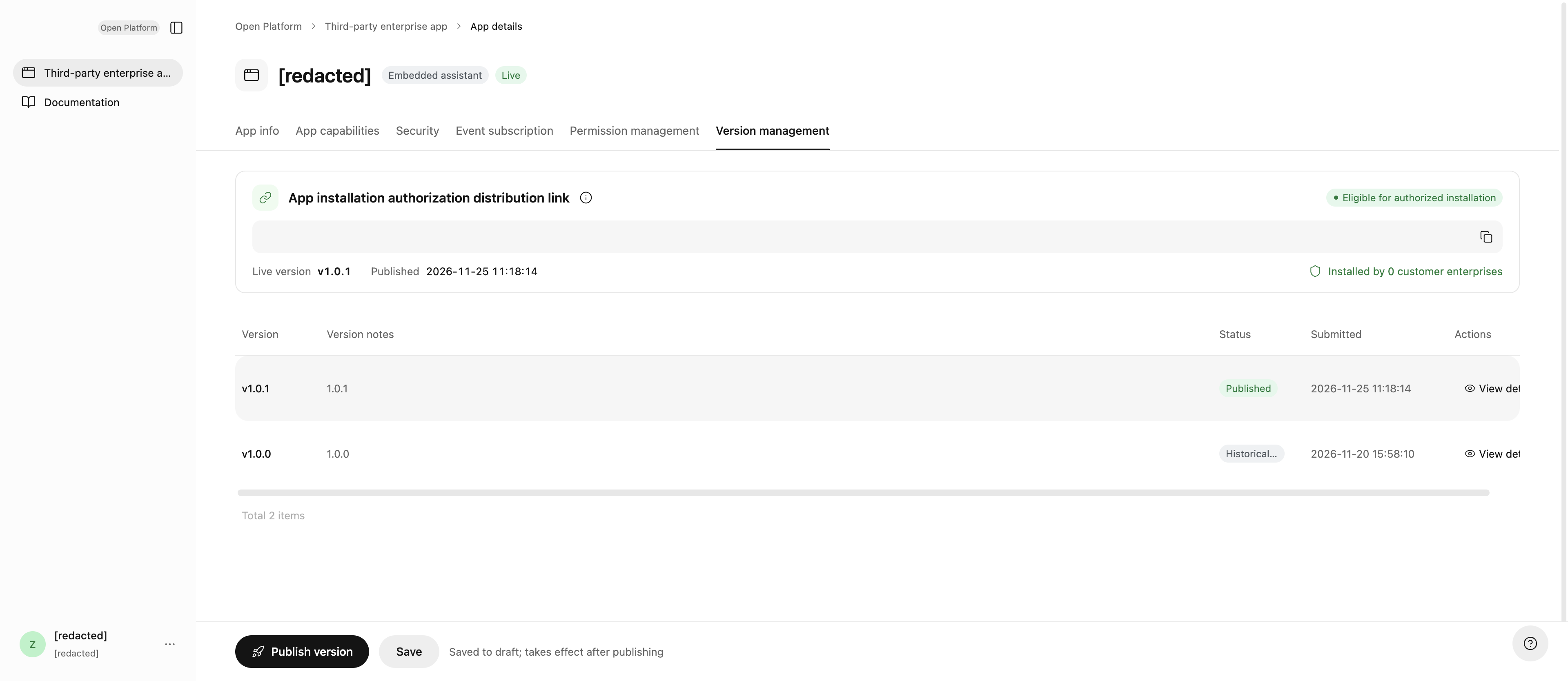
1.0.0 for the first version and increment subsequent versions.
Configuration takes effect after approval and publication. Publish a new version after changing the configuration.Confirm the version is Live / Published