
Obtain, refresh, and revoke QwenWork user access tokens using Authorization Code and PKCE.
OAuth lets your app obtain an access token with user consent and call OpenAPI resources the user can access.
Use
Complete app creation and publication and prepare the App ID, app secret, callback URL, and enabled business scopes. The flow uses PKCE (
Generate a fresh random
Build the authorization URL in the same server-side flow. This example explicitly requests file read permission:
 Set
After consent, the callback receives
Use the original
The successful JSON response contains:
Store the complete
This example queries a file and requires
Replace the placeholder path with a file owned by the user. See Get File Information and Download URL.
Use UserInfo to confirm the authorized identity:
UserInfo returns the user identifier
Save the new access token and refresh token after a successful refresh. Refresh serially for the same authorization, using the latest refresh token each time.
The optional
Token errors contain
If authorization succeeds but a business API returns 403, check its scope, the authorized identity, and resource ownership. See the OpenAPI Overview.
Endpoints and prerequisites
Use https://open.qwenwork.ai for authorization and https://openapi.qwenwork.ai for token exchange, refresh, UserInfo, and revocation. Append the following paths to the corresponding domain:
| Purpose | Method | Path |
|---|---|---|
| Start authorization | GET | /oauth2/auth |
| Obtain or refresh a token | POST | /oapi/v1/oauth2/accessToken |
| Query the authorized user | GET | /oapi/v1/oauth2/userinfo |
| Revoke authorization | POST | /oapi/v1/oauth2/revoke |
S256), with token exchange performed on your server.
1. Generate state and PKCE parameters
Generate a fresh random state and code_verifier for each authorization request. Store them securely in your server-side session and bind them to the same browser authorization flow.
Generate code_challenge using SHA-256 and Base64URL encoding without padding:
2. Redirect to the authorization page
| Parameter | Description |
|---|---|
response_type | Set to code |
client_id | App ID |
redirect_uri | Callback URL in the app’s published configuration |
scope | Space-separated business scopes; explicitly request the permissions needed for this flow |
state | Random value from the previous step, checked on callback |
code_challenge | PKCE challenge from the previous step |
code_challenge_method | Set to S256 |
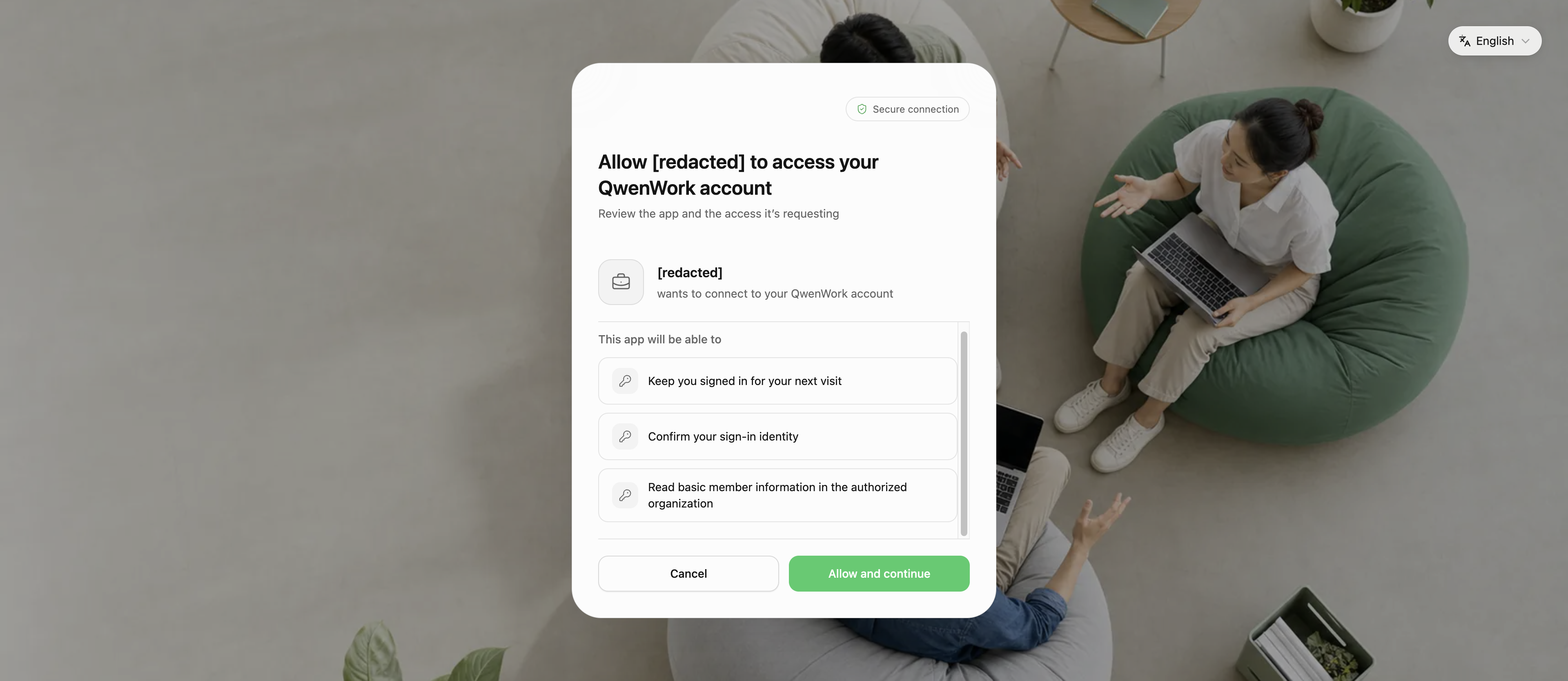
The user reviews the permissions and agrees to continue
scope to the required, enabled business permissions and add openid offline_access for identity and refresh capabilities. Specifying only these two protocol scopes, or omitting scope, requests all available business permissions for the app.
Users signed in with an enterprise identity use organization authorization. Users signed in with a personal identity use personal authorization.
Callback URL requirements
- Enter a complete HTTPS URL with an exact hostname and path.
- Configure up to 20 unique URLs, each up to 2048 Unicode characters.
- Local development supports HTTP on
localhost,127.0.0.0/8, or::1. - Use the same
redirect_urifor authorization and token exchange, matching the published configuration. - Publish the app after changing callback URLs to apply the changes.
3. Handle the callback and exchange the code
After consent, the callback receives code and state. Confirm that state matches the value stored in the session, then exchange the single-use authorization code for tokens.
Send JSON or application/x-www-form-urlencoded from your server. This guide uses JSON:
code_verifier saved in step 1. Send all token exchange parameters in the request body, with each field appearing once.
Read the token response
The successful JSON response contains:
| Field | Description |
|---|---|
access_token | User token for protected resources; store as an opaque string |
token_type | Bearer |
token_use | open_app_user for a user token |
expires_in | Access token lifetime in seconds, as returned by the response |
scope | Optional; permissions actually granted |
refresh_token | Optional; refresh credential to store securely |
id_token | Optional; identity token |
access_token string for subsequent API requests.
4. Call user resources
This example queries a file and requires drive.file.read:
sub. Organization authorization also returns org_id, and user.profile.read permission adds name.
5. Refresh tokens
6. Revoke authorization
token_type_hint is access_token or refresh_token. Successful revocation returns an empty HTTP 200 and invalidates the app’s business authorization for that user. Pause or delete existing scheduled tasks separately.
Common errors
Token errors contain error, error_description, and error_code. If the user cancels authorization, the callback returns error=access_denied.
error_code | What to do |
|---|---|
invalid_request_parameters | Check required fields, duplicate keys, mixed credential fields, and parameter locations |
invalid_client_credentials | Check the App ID, secret, and environment |
invalid_code | Check code validity and matching callback and PKCE values; authorize again if needed |
refresh_token_not_active | Check for an old or inactive refresh token; authorize again if needed |
authorization_revoked | Obtain user authorization again |
app_scope_changed | Check app permissions and authorize again |
dependency_unavailable | Keep the request details and contact the platform team |