
Understand QwenWork, its workspaces, and the workflow from a request to a deliverable.
QwenWork is an AI workspace for individuals and organizations. You describe the outcome, give the Agent the relevant context, and review the work it produces. Deliverables can include documents, spreadsheets, presentations, and websites.
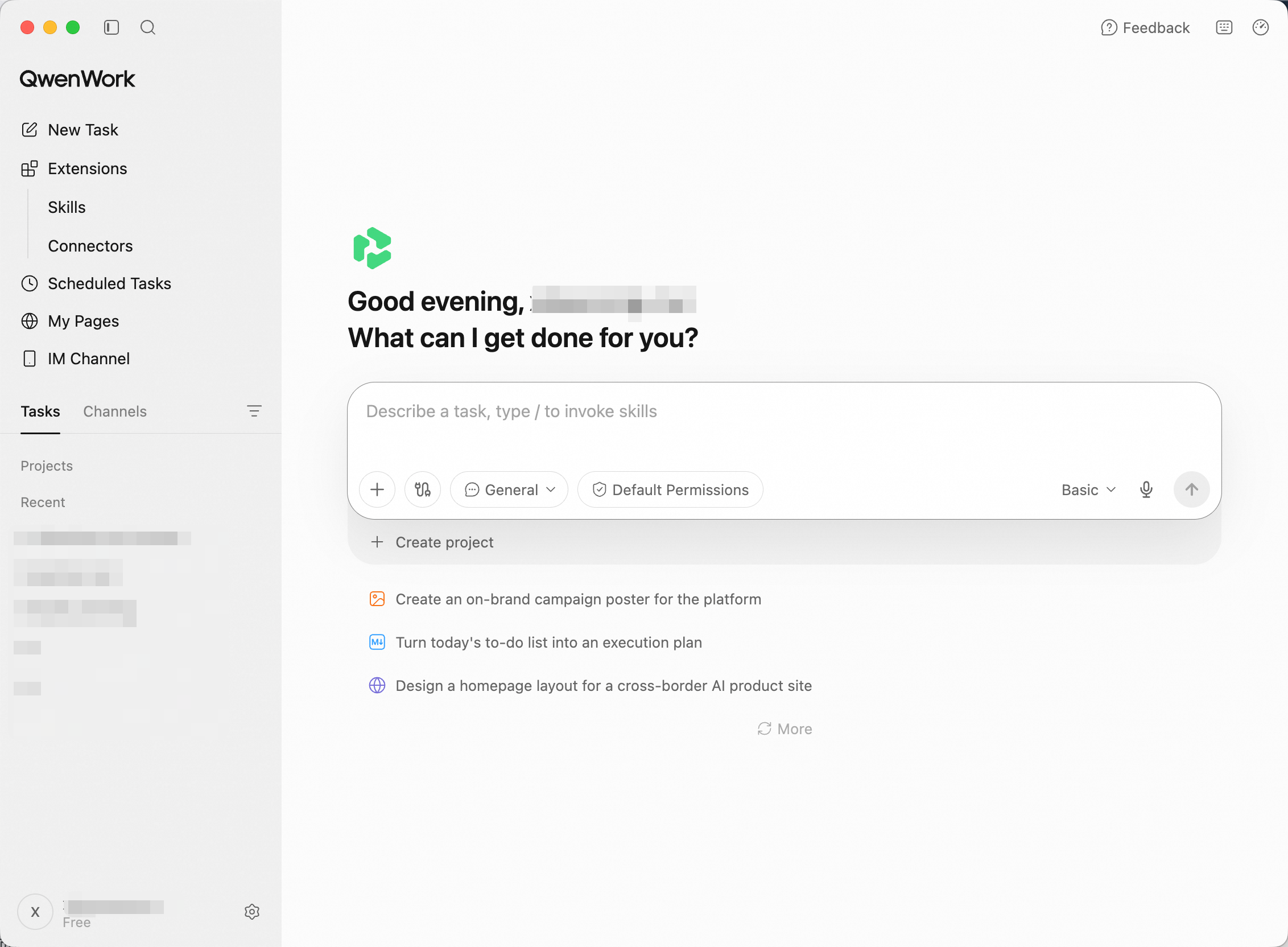
Read the full guide in the QwenWork product documentation.
From request to deliverable
- Sign in to QwenWork and select your personal or organization workspace.
- Start an Agent session. Describe the outcome and attach the source material the Agent needs.
- Review the plan and intermediate results. Give feedback in the same conversation when you need a revision.
- Open, download, or share the finished deliverable. For recurring work, use a scheduled task.
QwenWork workspace
What to use for each part of the job
| Capability | When to use it |
|---|---|
| Agent sessions | Work through a task and inspect its results. |
| Skills and connectors | Apply a reusable workflow or access an authorized service. |
| Files and deliverables | Provide inputs and find the outputs of previous tasks. |
| Scheduled tasks and Pages | Repeat a workflow on a schedule or publish a website. |
| Organization administration | Manage members, usage, and subscriptions. |
Quick Start
Sign in and run your first task.